XR Blueprint
Inspections and defect tracking on your drawings
Pin snags on the plan, assign each one to a contractor and close it. At handover you have one record of every snag.
The problem
Snag lists on paper and in chat apps break down on a real project.
- 01
Snags get lost
A photo in a chat thread has no place on the drawing and no status.
- 02
Contractors do not close items
Nobody sees which snags are still open, so nobody chases them.
- 03
No single record at handover
The evidence sits in many places, and the team must collect it by hand.
What XR Blueprint does
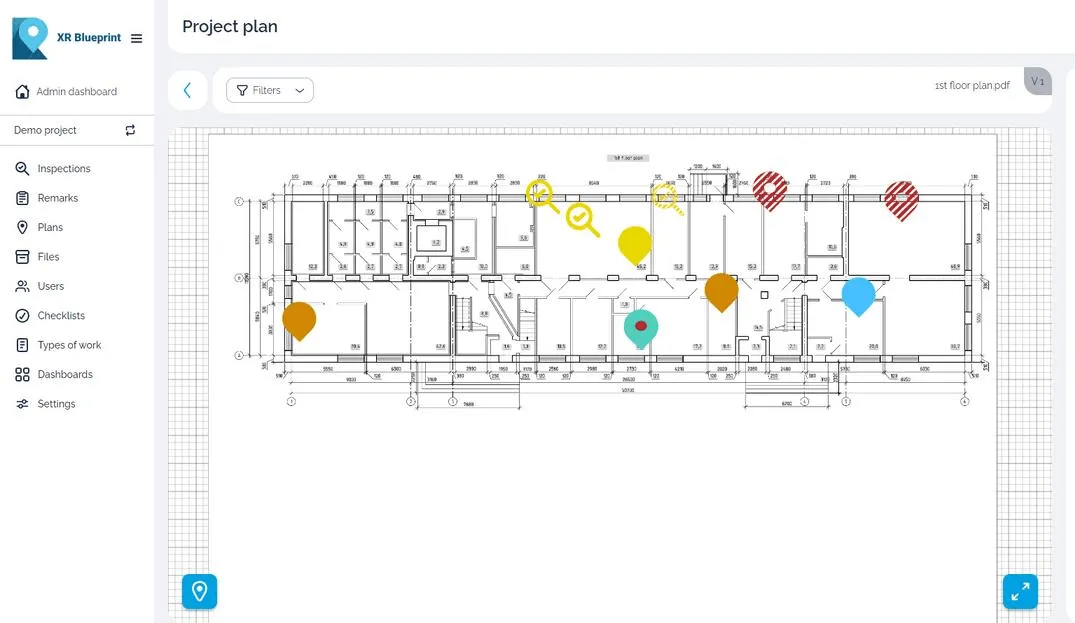
Pin snags on plans
Tap the plan to place a snag where the defect is. Each pin shows the status and the priority of the snag.
Assign snags to contractors
Give each snag a responsible contractor and a deadline. Up to 100 subcontractors and observers free per assigning user.
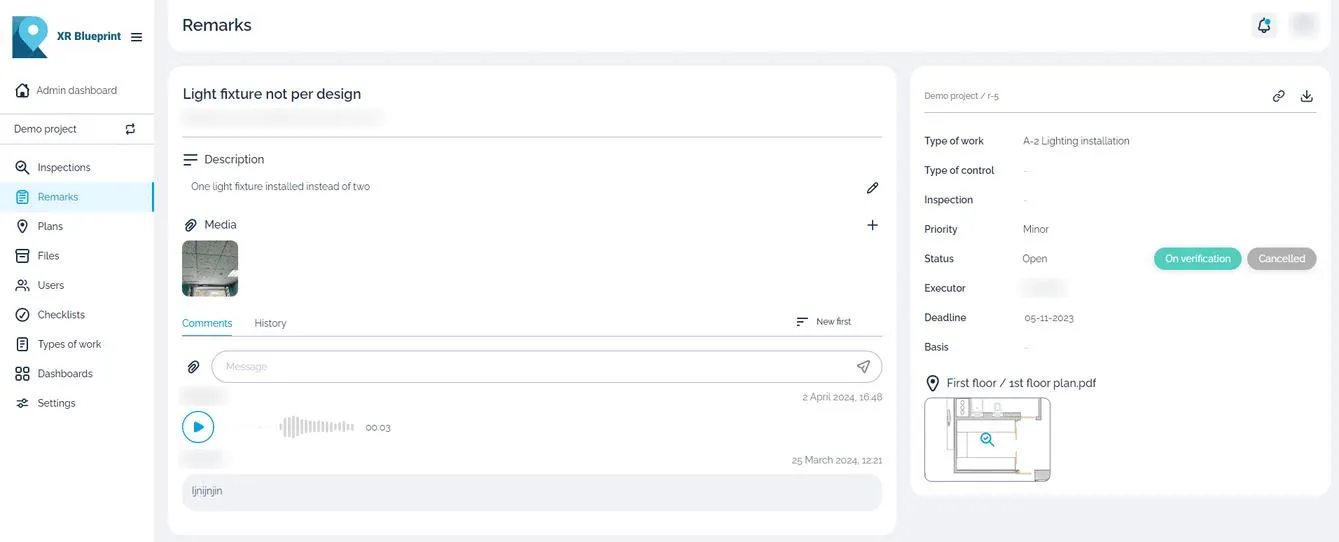
Checklists that inspectors edit
Inspectors adapt a checklist to the work and tick each item on site.
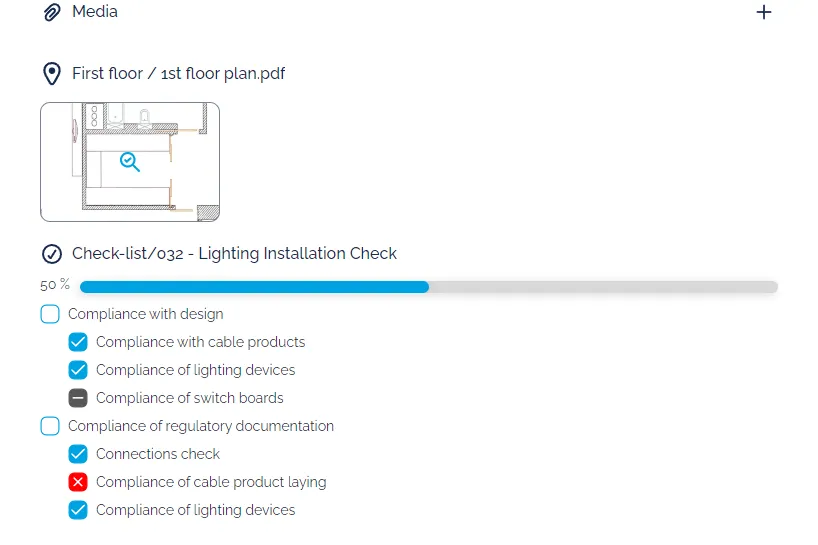
Photo, video and voice
Add photos, video and voice comments to a snag. The contractor sees the defect and hears the context.
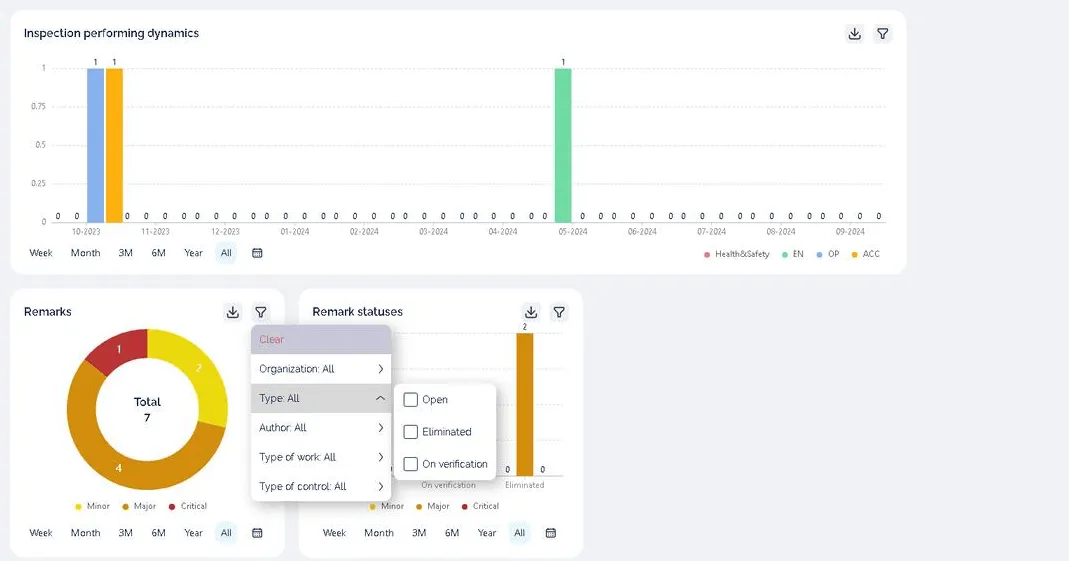
Dashboards and statistics
See inspections over time, and snags by severity and by status.
Inspection report export
Export an inspection report to share with the team and keep as the record.
User action log
Read who changed a snag and when.
Platforms
Runs on
- Web, iOS/iPadOS, Android, Windows, Linux; XR Blueprint 3D on iPad with LiDAR and on Android
Watch the 2D tutorial

The XR Blueprint tutorial from the INBIM team.
Case study
Mineralnye Vody airport terminal
- Project facts
- 28,000 m², 2023–2025, 11 QC inspectors, 3 contractors
Airport terminal in Mineralnye Vody.
Read the casePricing
From $59 per assigning user per month, billed annually. Up to 100 subcontractors and observers free per assigning user.
See pricingQuestions
Which devices does XR Blueprint run on?
Web, iOS/iPadOS, Android, Windows, Linux; XR Blueprint 3D on iPad with LiDAR and on Android.
Do my contractors need a paid licence?
Up to 100 subcontractors and observers free per assigning user.
Can I try it first?
Yes. 30-day free trial.
Where is my data hosted?
Customer data hosted in the UAE. Enterprise runs on the customer's server.
What is the difference between XR Blueprint and XR Blueprint 3D?
XR Blueprint handles plans and snags. XR Blueprint 3D overlays the BIM model on the real building in AR.