BIM CUT
Make IFC models light enough for site tablets
11x smaller on average, up to 20x, attributes kept.
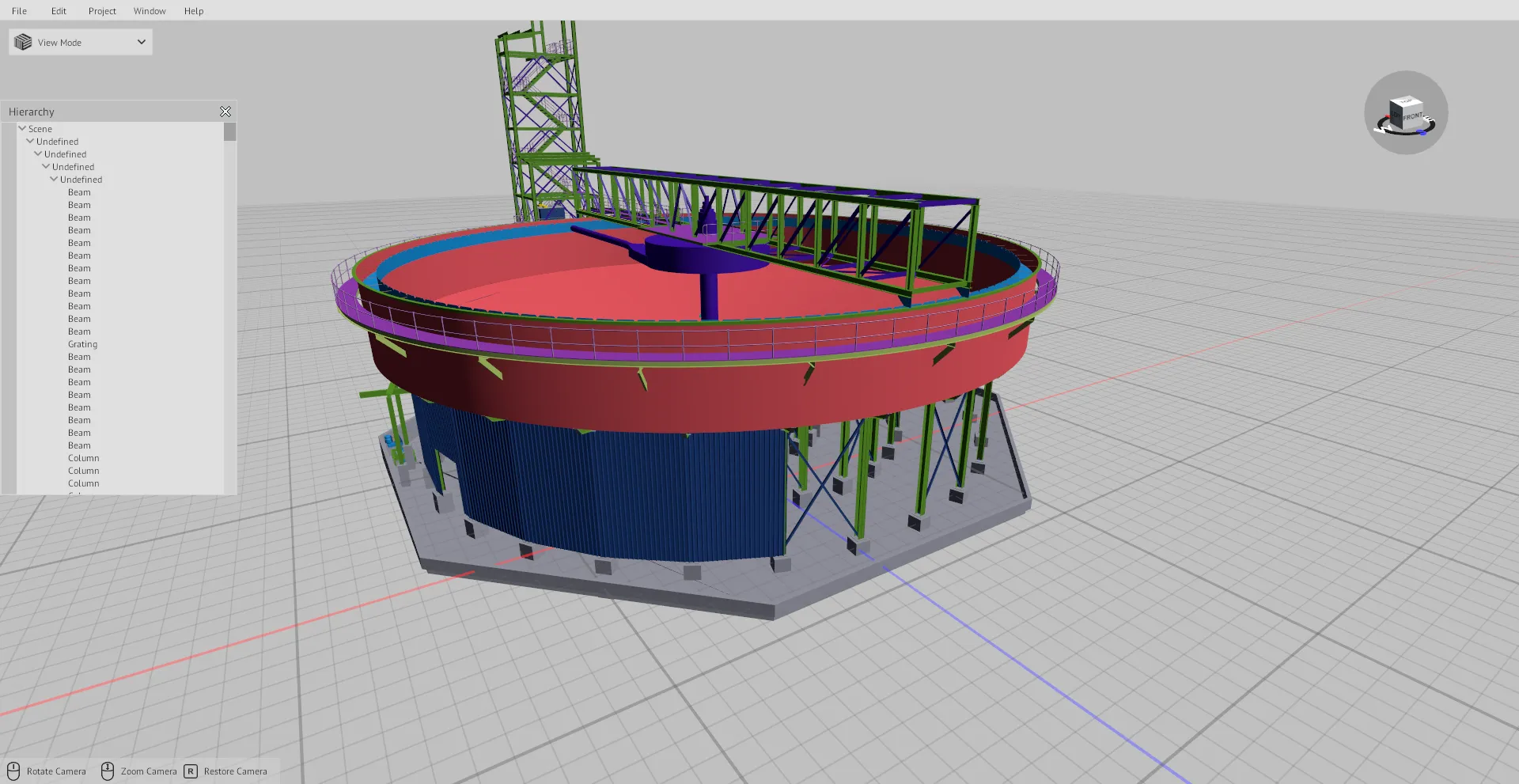
What BIM CUT does
- 01
Fragmentation grid
Save the grid and reuse it across project stages.
- 02
QR placement markers
Add markers that place the model on site.
- 03
Colour palette by element type
Colour walls, ducts and steel so each type reads at a glance.
- 04
Layers and transparency
Show, hide and fade layers.
- 05
Attribute preservation
Element attributes stay in the model.
- 06
IFC to MEF
Convert an IFC file to MEF for XR Blueprint 3D.
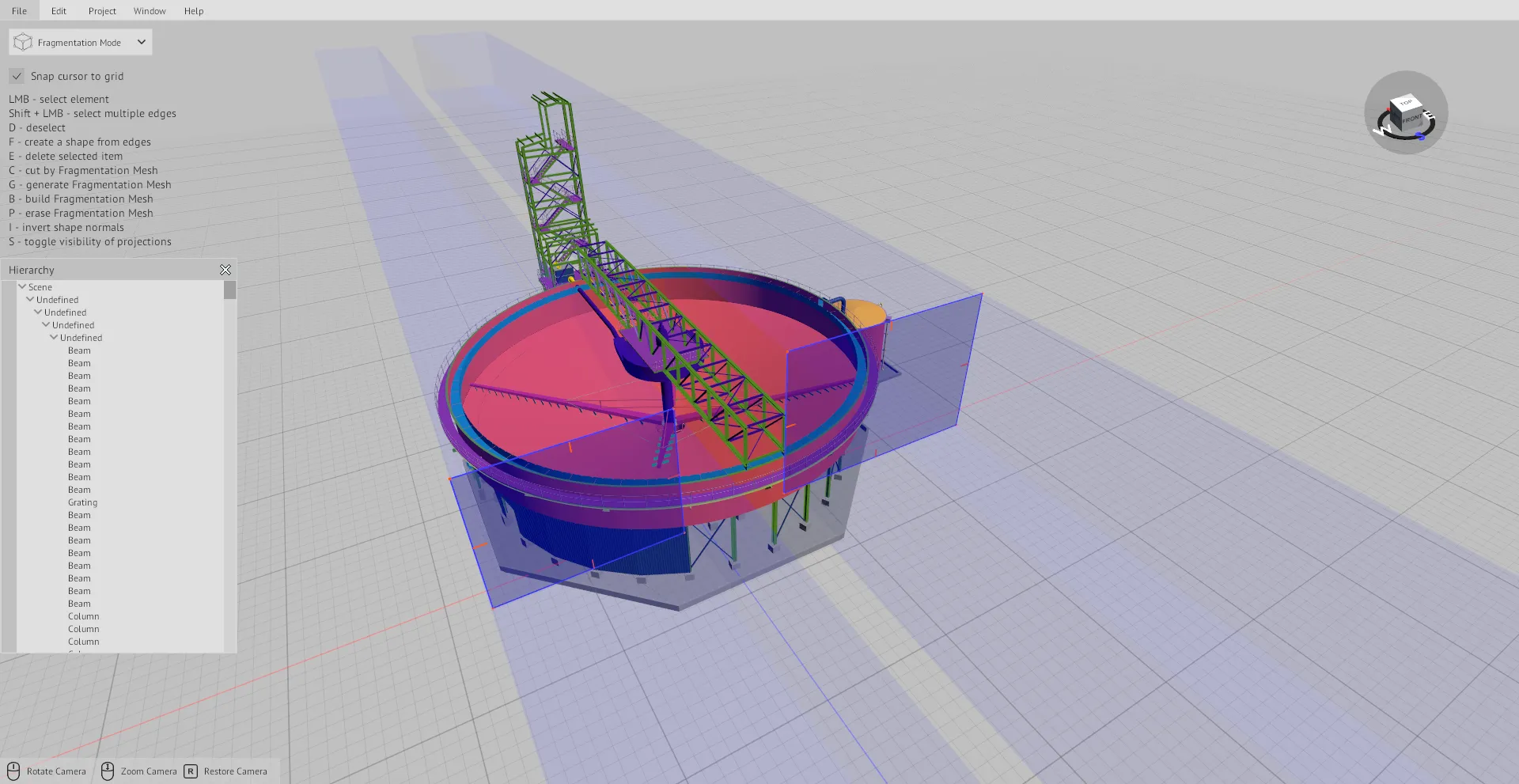
The fragmentation grid
Draw the grid
Draw the grid over the model in fragmentation mode.
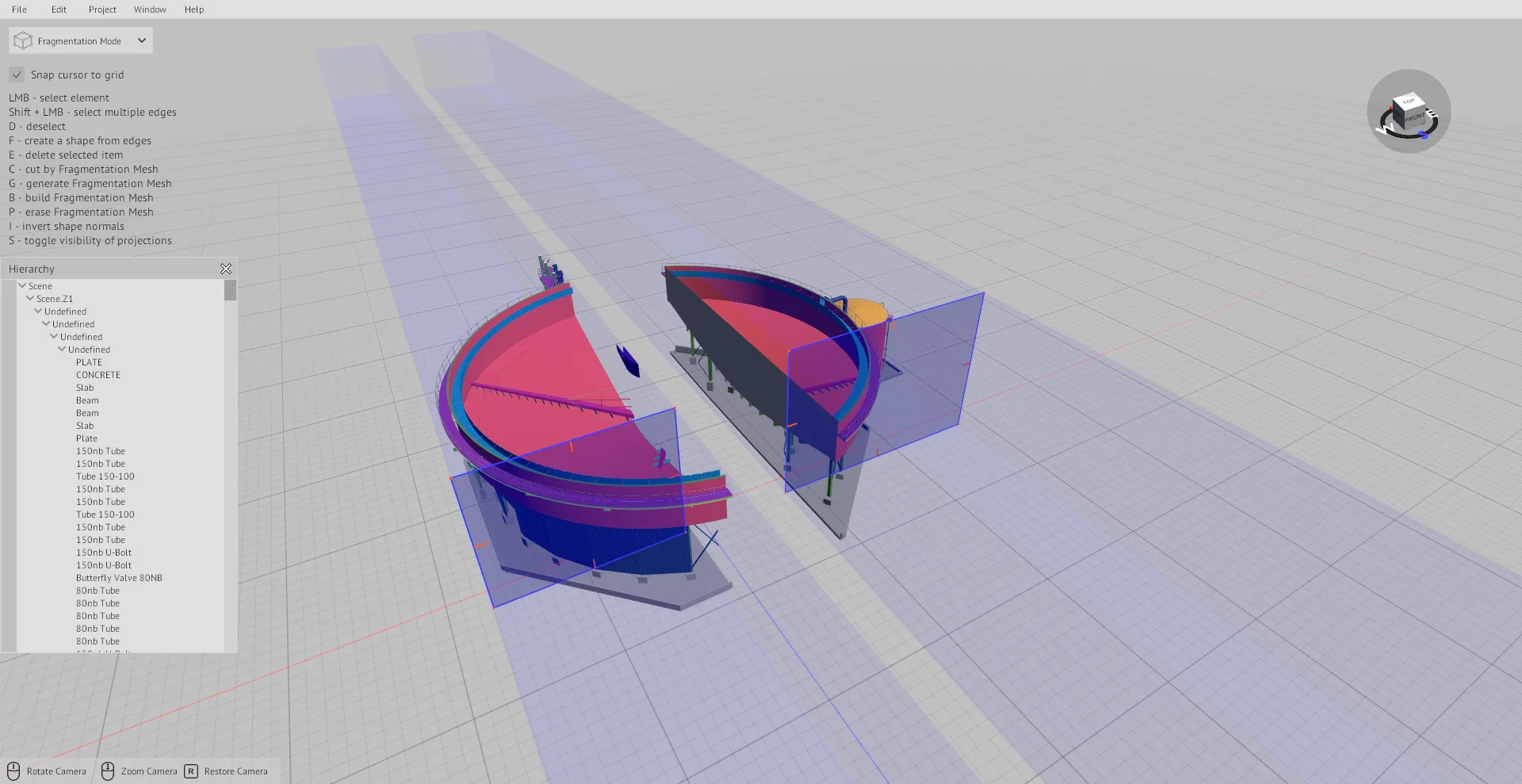
Cut the model into sectors
Cut the model along the grid. Work with each sector on its own.
File formats
In
- IFC
- FBX
- OBJ
- GLTF/GLB
- DAE
- STL
- PLY
- DXF
- MEF
Out
- MEF
Licence and Enterprise
BIM CUT is a desktop app with a licence per user. Enterprise includes BIM CUT. Enterprise runs on the customer's server.
See licences and pricingRequest a BIM CUT trial
Send the form. Our sales team emails you the installer link and a licence key.
Questions
Which formats can BIM CUT open?
IFC, FBX, OBJ, GLTF/GLB, DAE, STL, PLY, DXF and MEF.
Which format does BIM CUT write?
MEF, the format that XR Blueprint 3D loads.
Does a smaller model lose its attributes?
No. BIM CUT keeps the element attributes.
What does Enterprise include?
Enterprise includes BIM CUT. Enterprise runs on the customer's server.