For facility management
Keep the plans, inspections and tasks of the building in one place
After handover, defects and checks still come in every week. XR Blueprint keeps the plans, the inspections and the tasks together.
What you get
- 01
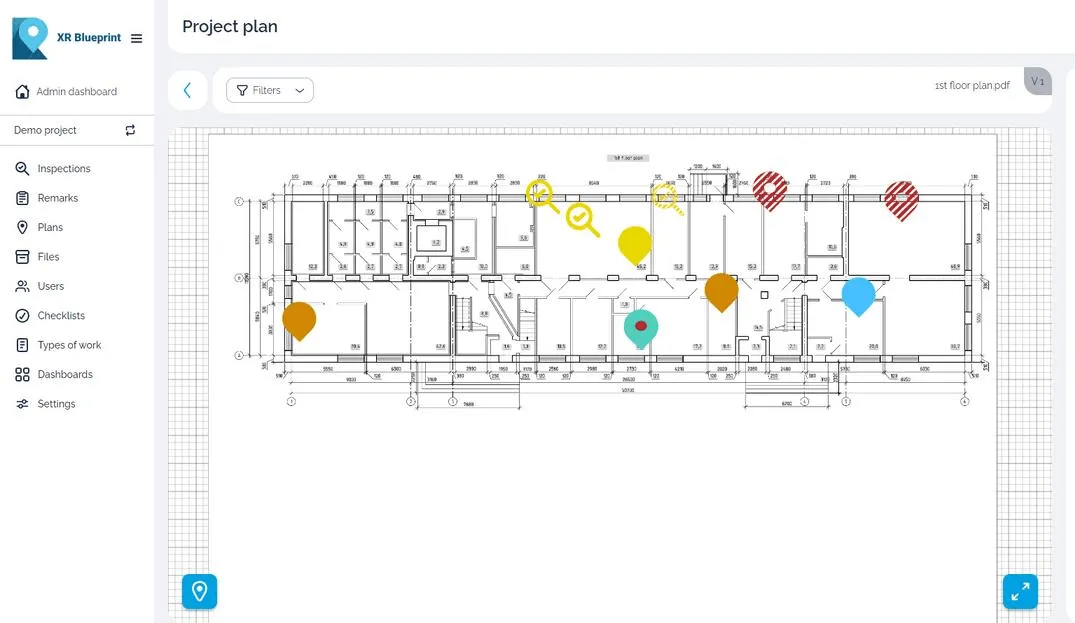
Work from the plan
Your team works from the drawing, and each defect has a place on it.
- 02
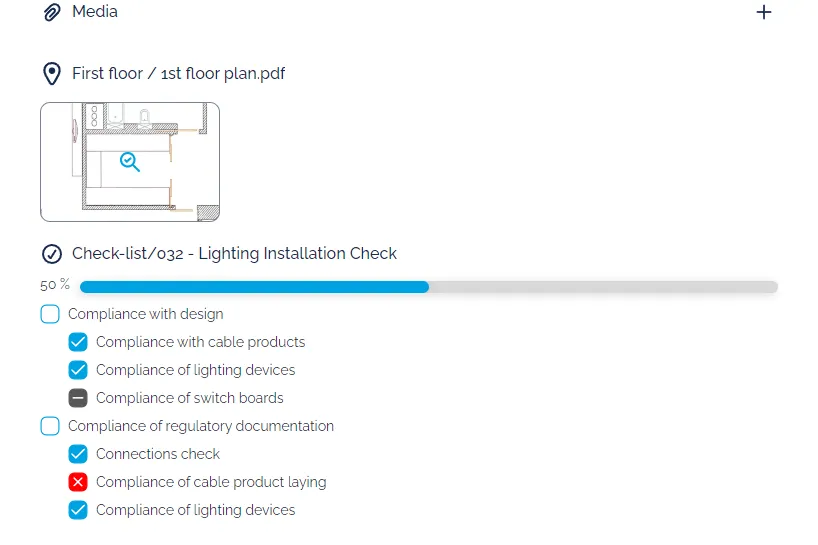
Regular inspections
Use a checklist for each round, and see which items failed.
- 03
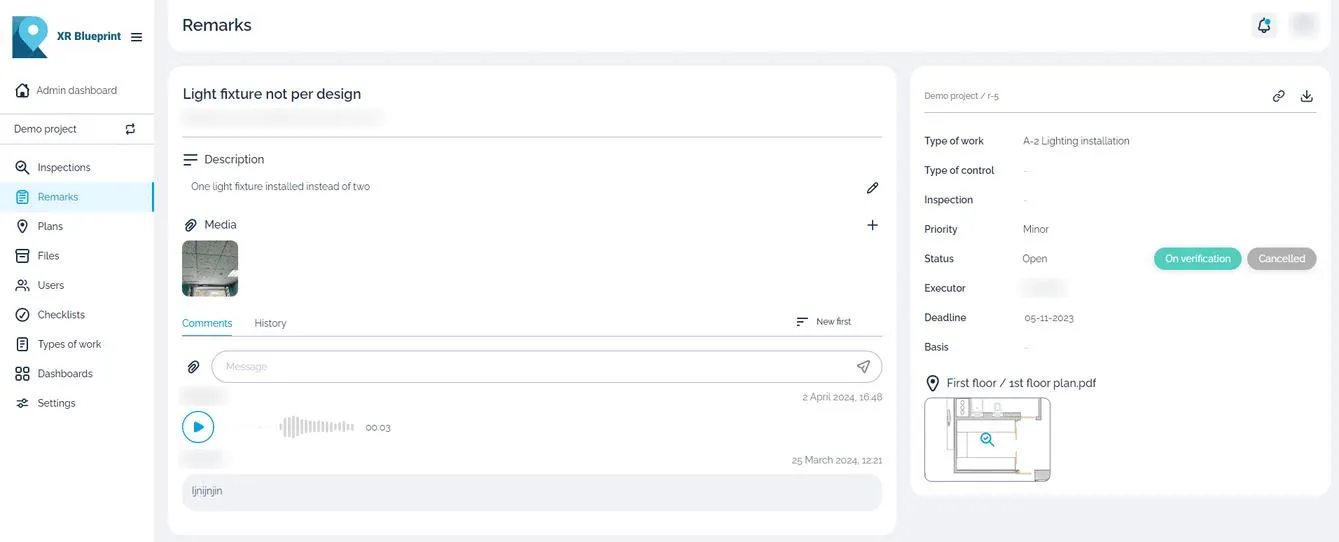
Tasks with an owner
Assign each task to a person or a contractor with a deadline.
How you work in XR Blueprint
Plans of the building
Keep the plans of each floor in the app and pin each defect on the plan.
Inspections
Run a checklist for a round and tick each item on site.
Tasks
Give each task a responsible person, a priority and a deadline. Add a photo, a video or a voice comment.
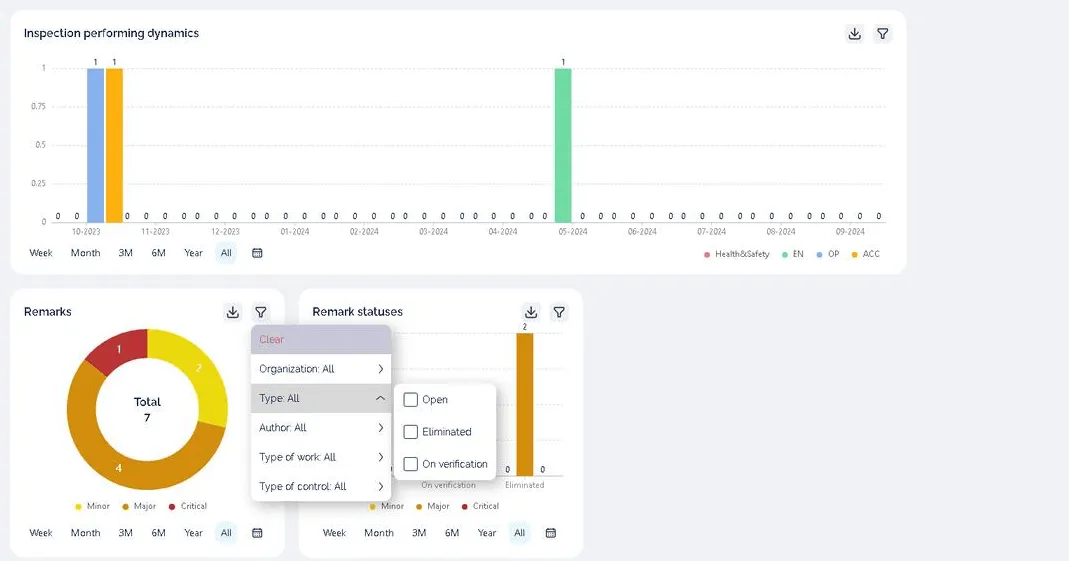
Statistics
See open tasks by severity and by status.
Inspection reports
Export an inspection report to share and to keep as the record.
Related products
XR Blueprint
Inspections and snags on your drawings.
See XR BlueprintPricing
Licences and Enterprise.
See pricing