For contractors
Know which snags are yours and close them with proof
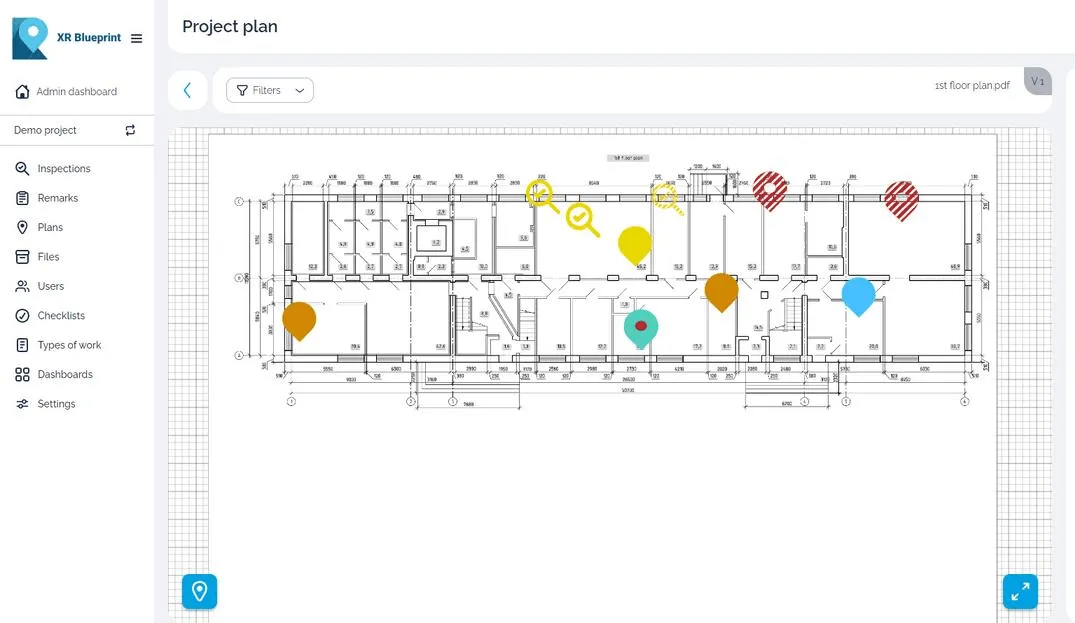
Snags arrive as photos in chat threads, with no place on the drawing. XR Blueprint puts each snag on the plan and assigns it to you.
What you get
- 01
One list of your snags
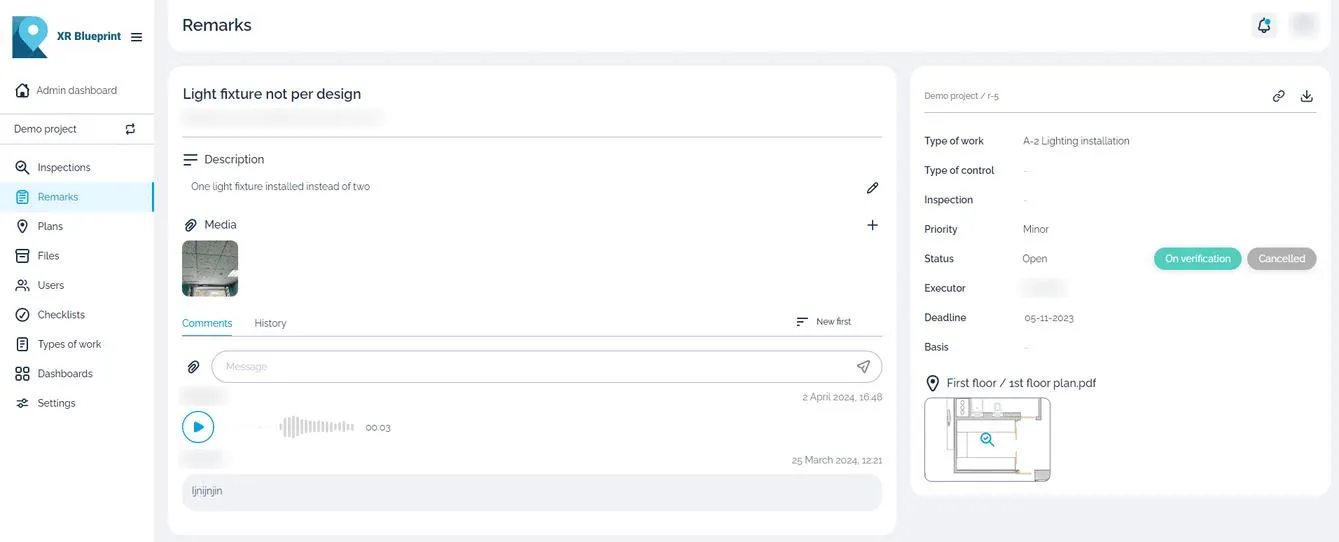
Each snag shows its place on the plan, its priority and its deadline.
- 02
Fewer repeat visits
The photo, the video and the voice comment show you the defect before you travel to site.
- 03
Proof of the fix
Close a snag with a photo. The inspector and the client see the record.
How you work in XR Blueprint
Snags on plans
Open the plan and see where each defect is. Each pin shows the status and the priority.
Assignment to your company
The assigning user gives each snag a responsible contractor and a deadline. Up to 100 subcontractors and observers free per assigning user.
Checklists
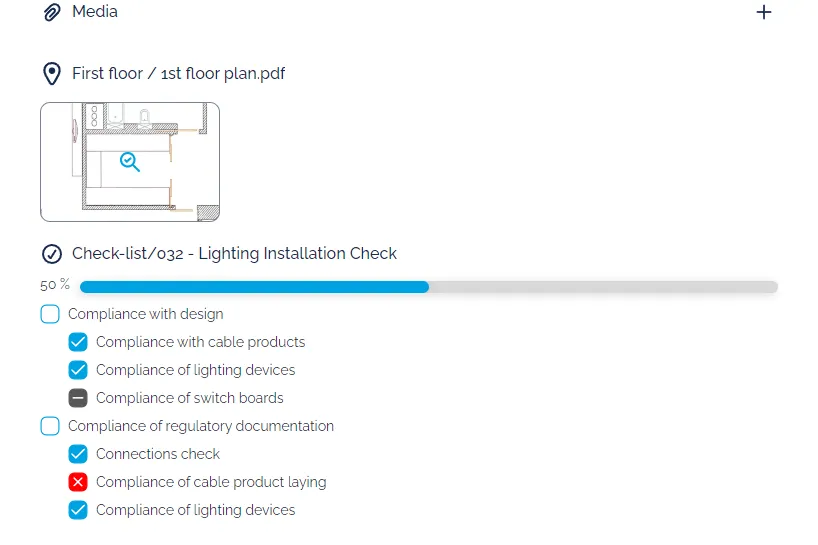
Work through the checklist for your scope and tick each item on site.
Inspection reports
Export an inspection report to share with the team and keep as the record.
Action log
Read who changed a snag and when.
Case study
Mineralnye Vody airport terminal
- Project facts
- 28,000 m², 2023–2025, 11 QC inspectors, 3 contractors
- Client
- Spektrum Group, technical customer
The domestic terminal of Mineralnye Vody International Airport, Russia. The contractors and the quality control inspectors worked to one standard.
Read the case studyRelated products
XR Blueprint
Inspections and snags on your drawings.
See XR BlueprintXR Blueprint 3D
Check the build against the BIM model in AR.
See XR Blueprint 3D