Construction quality control
Quality control on your drawings. Your BIM model on site.
Pin each defect on the plan, assign it to a contractor, then verify the fix. Check the work against the BIM model in AR.
- A-WALL
- M-DUCT
- QC-SNAG
SNAG 02 · DUCT
Duct 40 mm off the model
CLOSED
- Team time
- Up to 30% of team time saved
- Area
- 1,000,000+ m² managed with XR Blueprint
- IFC file size
- 11x smaller on average, up to 20x, attributes kept
Sheet A-001 · Our team co-authored GOST R 71718-2024
How it works
- 01
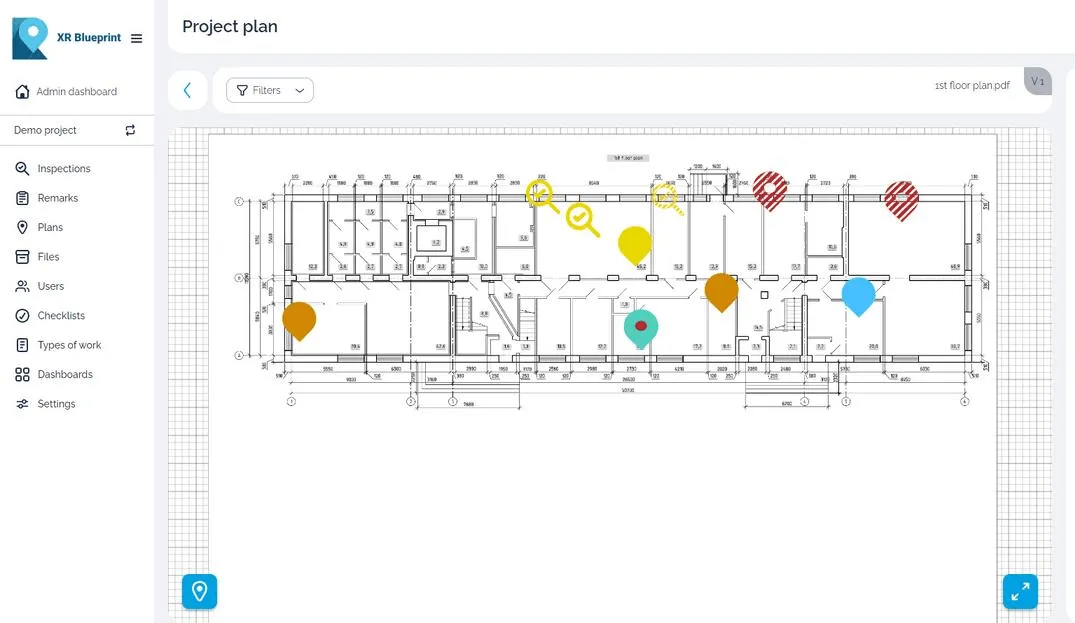
Pin the issue on the plan
Open the drawing and tap the place of the defect. Add a title, a photo, a video or a voice note.
- 02
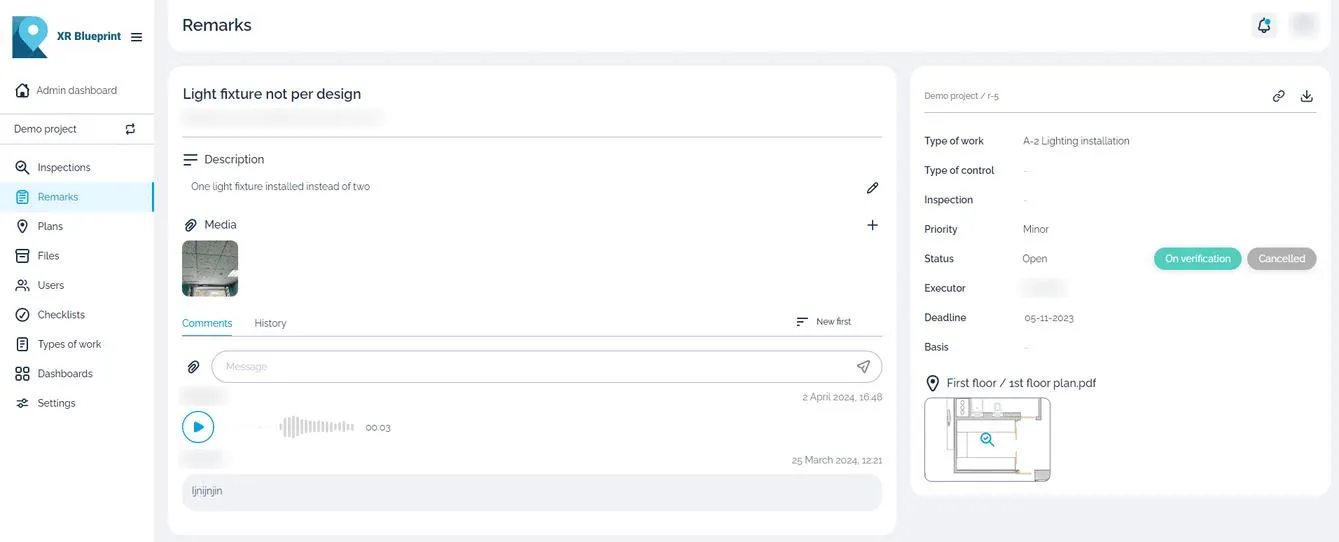
Assign it to the contractor
Assign the snag to a contractor and set a deadline. The contractor gets a notification and works from the same snag.
- 03
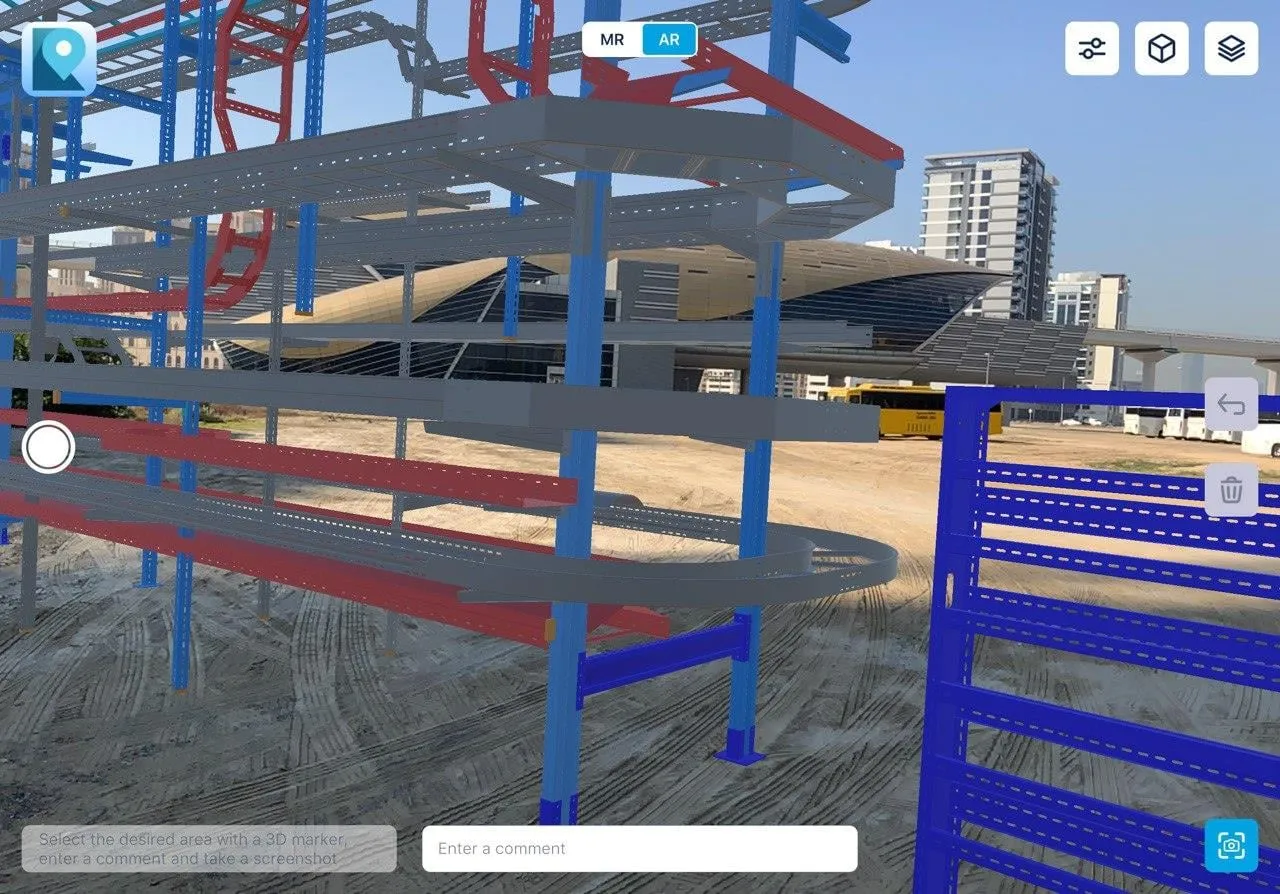
Verify and close, or check in AR
Check the fix on site and close the snag. With the 3D module, compare the built work with the BIM model.
Three products, one workflow
XR Blueprint
Inspections and defect tracking on your drawings. One record of every snag, from the first pin to handover.
Explore XR BlueprintXR Blueprint 3D
Check the build against the BIM model, on site. See the model over the real building in AR.
Explore XR Blueprint 3DBIM CUT
Make IFC models light enough for site tablets. 11x smaller on average, up to 20x, attributes kept.
Explore BIM CUT
Where teams use it
Construction quality control
Inspect the work against the drawings. Log each snag and follow it until the contractor closes it.
For contractorsCoordination and statistics
See every contractor, inspection and snag on one dashboard.
For developersBuilding operations
Keep the plans, inspections and snags of a building in one place.
For facility managementEquipment and MEP installation in 3D
Compare installed ducts, trays and equipment with the model on site.
XR Blueprint 3D
What teams get
- 01
Inspections with checklists
Inspectors tick each item on site.
- 02
Snags with photo, video and voice
The contractor sees the defect and hears the context.
- 03
Inspection reports
Export a report for the team and the record.
- 04
Team notifications
Each person hears about the snags assigned to them.
- 05
Start on day one
Create a project, upload a drawing and begin.
- 06
2D drawings
Pin and track snags on your 2D plans.
- 07
3D and AR module
Overlay the BIM model on the real building.
- 08
Dashboards
Follow inspections and snags by status and severity.
Case study
Mineralnye Vody airport terminal
- Project facts
- 28,000 m², 2023–2025, 11 QC inspectors, 3 contractors
Airport terminal in Mineralnye Vody.
Read the case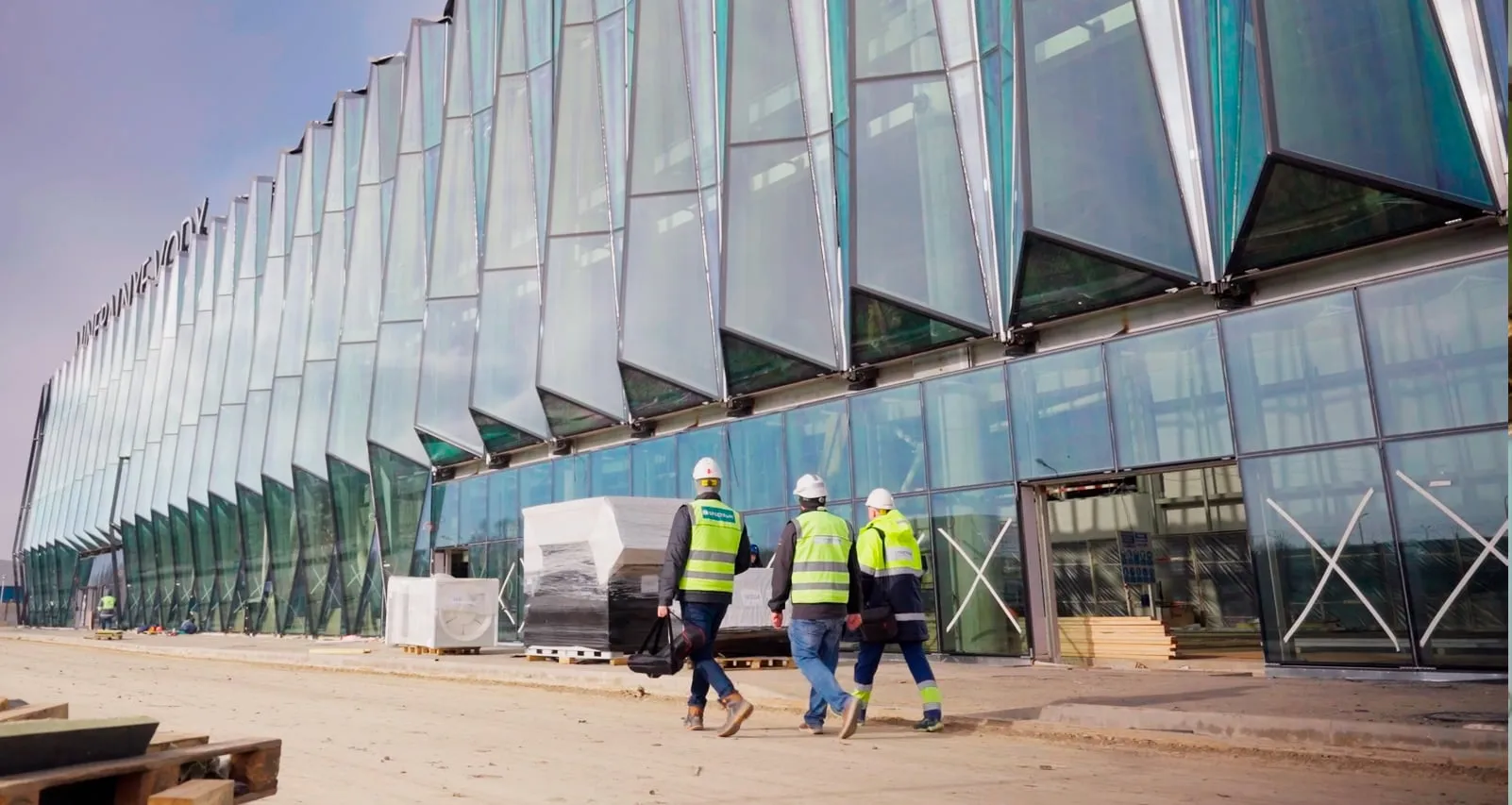
Works with your files and devices
File formats
- IFC
- BCF
- FBX
- GLB
- OBJ
- MEF
Platforms
- Web, iOS/iPadOS, Android, Windows, Linux; XR Blueprint 3D on iPad with LiDAR and on Android
Pricing
From $59 per assigning user per month, billed annually. Up to 100 subcontractors and observers free per assigning user.
See pricingData and support
Customer data hosted in the UAE. English support. Enterprise runs on the customer's server.
Read about security and dataQuestions
Which devices does it run on?
Web, iOS/iPadOS, Android, Windows, Linux; XR Blueprint 3D on iPad with LiDAR and on Android.
What is the difference between XR Blueprint and XR Blueprint 3D?
XR Blueprint handles plans and snags. XR Blueprint 3D overlays the BIM model on the real building in AR.
Which file formats can I use?
XR Blueprint 3D loads MEF, FBX and GLB models and exports issues as BCF. BIM CUT converts IFC and other model formats to MEF.
Where is my data hosted?
Customer data hosted in the UAE. Enterprise runs on the customer's server.
What does it cost?
From $59 per assigning user per month, billed annually. Up to 100 subcontractors and observers free per assigning user. 30-day free trial.